Streamable Review 2026: Features, Pricing, Pros & Cons
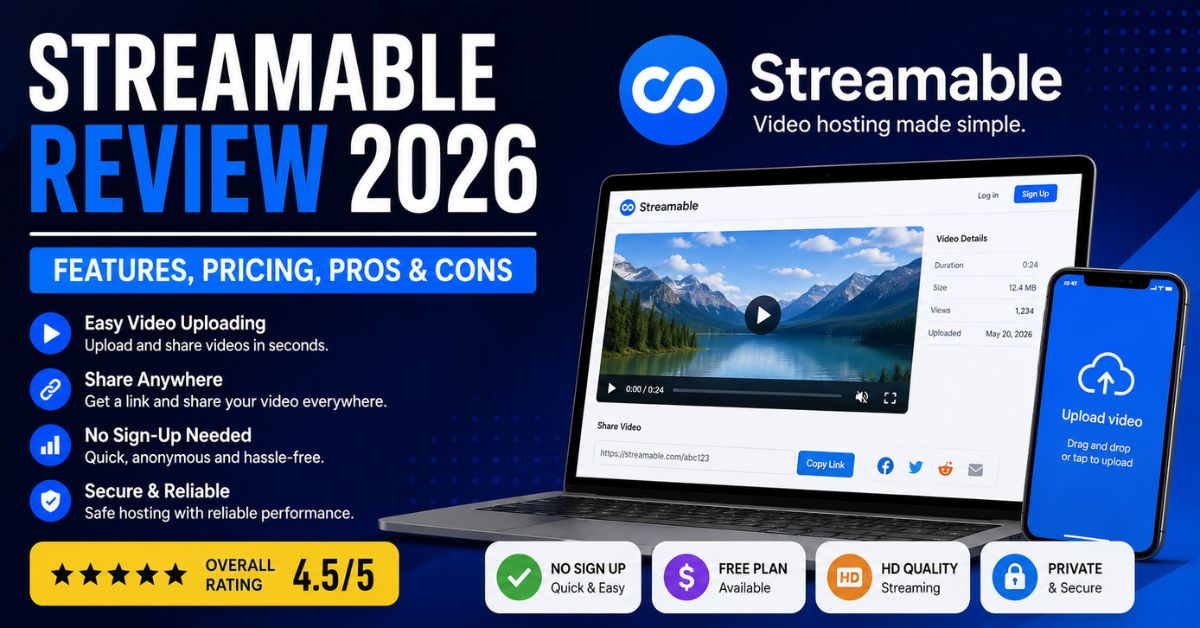
Streamable is a video hosting platform built for people who want to upload, share, and embed video without managing a complicated publishing workflow. Its appeal is speed: you can upload a file, get a shareable link, make basic edits, and place the video on a website or send it directly to viewers. The platform also supports high-resolution playback, including 4K UHD at 60 frames per second on supported uploads.
That simplicity makes the service useful for creators, small teams, communities, educators, publishers, and businesses that need clean video delivery without the discovery-first structure of YouTube. It is important, however, to separate Streamable.com video hosting from Streamable.run, a live-production service focused on cloud-hosted OBS, IRL broadcasting, and multistreaming. This guide explains both so you can choose the right workflow without confusing two different product experiences.
What Is Streamable and Who Is It For?
At its core, the platform is designed for fast video hosting and online sharing. Users can upload files directly, create clips from a URL, and generate links that are easy to send through email, chat, social communities, or internal documentation. The service also provides an embeddable video player for websites. This makes it practical when your goal is delivering video cleanly rather than building an audience through recommendations, subscriptions, or a public channel.
The service is particularly useful when convenience matters more than advanced marketing automation. A support team might upload a short troubleshooting recording and send the link to a customer. A designer could share a product prototype video with stakeholders. A publisher could embed a clip inside an article. In each case, the value comes from reducing the friction between uploading a file and getting that video in front of the intended viewer.
Common use cases
- Sharing product demos with clients
- Embedding videos in blog posts
- Sending customer-support recordings
- Publishing community or gaming clips
- Sharing internal training material
- Hosting short presentations
- Creating clips from supported URLs
- Distributing videos without building a public channel
For users asking, “What is Streamable used for?”, the short answer is: it is primarily a fast video hosting, editing, embedding, and sharing service.
Core Streamable Features
The platform combines hosting with lightweight built-in editing tools, which means many routine changes can be made without opening a full desktop editor. The company publicly lists tools for trimming, cropping, rotating, muting, compressing, merging, embedding, downloading, privacy controls, and password protection. Its homepage also promotes one-click resizing for landscape, square, and vertical formats. These features are practical publishing tools rather than replacements for professional nonlinear editing software.
The service also emphasizes high-resolution support and fast distribution. The company says supported uploads can stream in 4K UHD at 60 fps, while sharing tools let users distribute a direct link or embed the player on a webpage. For creators producing social clips, demos, tutorials, or community highlights, that combination can remove several steps from the workflow. You can upload once, make quick adjustments, and publish the asset where your audience already spends time.
Notable features
- Drag-and-drop video uploading
- Clip from URL functionality
- Video trimming
- Cropping and rotation
- Video compression
- Merging tools
- Landscape, square, and vertical resizing
- Video privacy controls
- Password-protected video
- Direct shareable links
- Website video embedding
- Video downloads
- 4K UHD playback on supported content
- Ad-free video viewing on qualifying paid plans
The site also lists a Backup video tool. If replacing or updating hosted media without disrupting an existing publishing workflow is important to your business, verify the exact behavior available on your current plan before relying on it for production-critical content.
Streamable Pricing and Plan Limits
The service offers a free plan, but it includes limits that matter for long-term video hosting. As of August 2026, the official pricing page lists a 250 MB or 10-minute limit, 90-day video retention, HD streaming, and ad-supported playback for free accounts. That makes the free tier useful for testing and temporary sharing, but less suitable when you need permanent archives, larger files, or a completely ad-free viewer experience.
Paid plans are aimed at users who need fewer restrictions and more professional delivery. The company states that viewers do not see ads on Pro or Business plans, and videos on those plans are deleted only when the account owner requests deletion. The Pro plan also currently includes 2 TB of monthly bandwidth. Before publishing mission-critical video, check the latest terms because bandwidth, retention, and plan features can change over time.
| Feature | Free Plan | Paid Plans |
|---|---|---|
| Cost | $0 | Subscription |
| Upload limit | 250 MB / 10 minutes | Higher limits |
| Playback | HD | Expanded capabilities |
| Video retention | 90 days | Retained until deletion |
| Advertising | Ad-supported | No viewer ads on Pro/Business |
| Bandwidth | Limited | Pro currently includes 2 TB/month |
| Best for | Testing and temporary sharing | Professional or ongoing hosting |
Streamable vs YouTube vs Vimeo
Choosing between Streamable, YouTube, and Vimeo depends on the job you need the platform to perform. The first prioritizes fast hosting, direct sharing, and simple editing. YouTube is centered on audience discovery, subscriptions, recommendations, search visibility, and monetization. Vimeo generally targets professional presentation, privacy, collaboration, and business video workflows. None is automatically “best”; the right option depends on whether your priority is reach, control, speed, branding, analytics, or collaboration.
For a quick client proof, support clip, community highlight, or embedded explainer, a lightweight hosting platform can feel simpler than operating a full video channel. For content designed to attract public views through search and recommendations, YouTube usually provides stronger discovery mechanics. Vimeo may fit projects where professional presentation and controlled distribution matter more. Many organizations therefore use multiple services instead of expecting one platform to solve every video-publishing problem.
| Category | Streamable | YouTube | Vimeo |
| Primary strength | Fast hosting and sharing | Audience discovery | Professional video workflows |
| Direct sharing | Excellent | Good | Good |
| Public discovery | Limited | Excellent | Limited |
| Lightweight editing | Yes | Yes | Yes |
| Website embedding | Yes | Yes | Yes |
| 4K support | Yes | Yes | Yes |
| Free-plan ads | Yes | YouTube ads may appear | Different model |
| Best for | Quick hosting and embeds | Reach and audience growth | Professional presentation |
Streamable.run for Live Streaming
Streamable.run focuses on a different use case: live production infrastructure for IRL and desktop broadcasters. Its current site promotes cloud-hosted OBS, multiple ingest sources, stream-drop protection, remote production controls, and simultaneous destinations. Broadcasters can send output to platforms including Twitch, Kick, YouTube, and custom RTMP or SRT targets. It also supports horizontal and vertical workflows, helping creators distribute live productions across platforms that favor different viewing formats.
This setup becomes especially valuable when reliability and remote control matter more than basic on-demand hosting. For example, an IRL broadcaster moving between cellular coverage areas may want a cloud layer that helps protect the viewer experience when the local signal becomes unstable. A desktop creator can also pull a hosted feed into local OBS using SRT. These are specialized capabilities, so the live service should be evaluated separately from a normal video-hosting subscription.
Key live-streaming capabilities
- Cloud Hosted OBS
- Stream drop protection
- Multiple ingest sources
- Twitch destinations
- YouTube destinations
- Kick destinations
- Custom RTMP output
- SRT workflows
- Simultaneous destinations
- Remote OBS control
- Horizontal and vertical broadcasts
- IRL streaming infrastructure
- Local OBS SRT pulldown
Basic live workflow
- Connect a compatible ingest source such as OBS or a mobile streaming application.
- Send that source to the cloud streaming server.
- Configure scenes, overlays, or fallback content.
- Add Twitch, YouTube, Kick, RTMP, or SRT destinations.
- Start the live production.
- Monitor ingest health and switch sources when necessary.
- Use cloud-based protection when a mobile connection becomes unstable.
The official guides currently document OBS ingest configuration and SRT connectivity for local OBS workflows.
Conclusion
Streamable stands out because it reduces the friction involved in getting a video online. Its strongest use cases include fast uploads, direct links, lightweight edits, website embeds, temporary sharing, and straightforward video management. The free tier can work well for casual needs, while paid plans provide a cleaner ad-free experience and longer-term hosting. For users who value speed and simplicity more than built-in audience discovery, the platform can be an efficient alternative to larger video ecosystems.
The best approach is to match your platform to your publishing objective. Choose Streamable when you need quick hosting and sharing, YouTube when reach and discovery are central, and Vimeo when professional video workflows or presentation controls are more important. If your project involves live IRL production, cloud OBS, or multistreaming, evaluate Streamable.run separately. Used for the right job, a streamlined video-hosting service can make publishing noticeably faster and easier.