Xfinity Stream: Features, Devices, Limits & How It Works
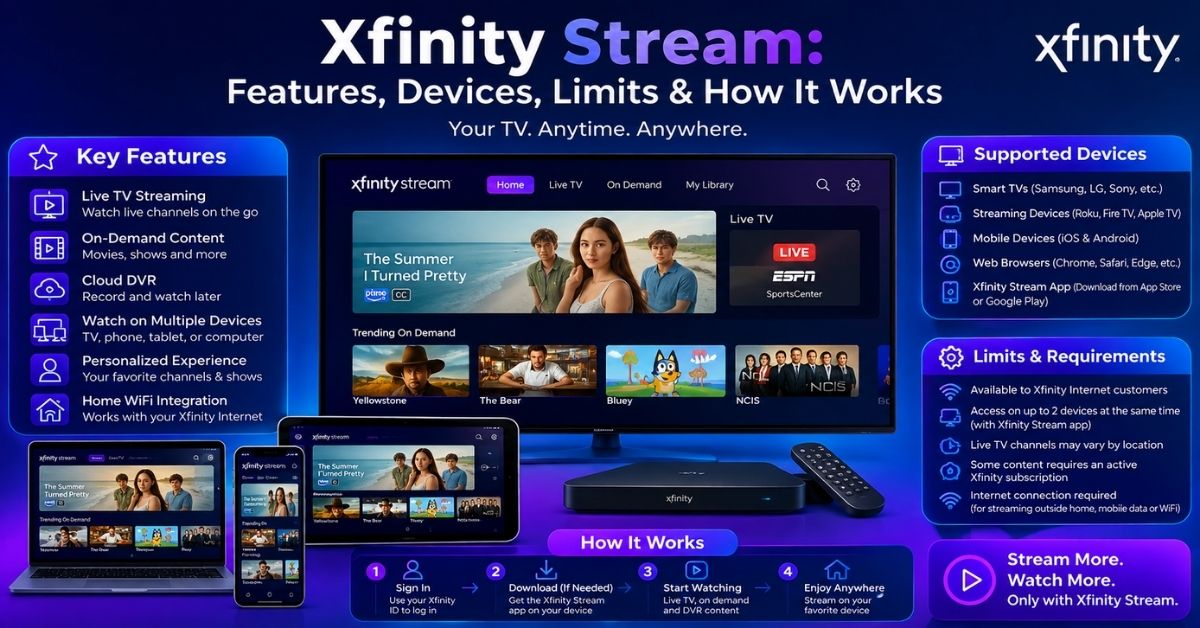
Xfinity Stream is Comcast’s companion streaming platform for Xfinity customers who want to watch television beyond a traditional cable box. Depending on your service, it brings live TV, Xfinity On Demand, cloud DVR recordings, purchases, and selected downloads to phones, tablets, computers, streaming devices, and compatible smart TVs. For many households, that means an extra television can access subscribed programming without renting another Xfinity TV Box.
What Is the Service and Who Can Use It?
Xfinity Stream is included with Xfinity service, but its exact capabilities depend on your subscription. Xfinity TV customers get live channels from their package, On Demand programming, and cloud DVR functions when DVR service is included. NOW TV also runs through the same app and web portal; its current lineup includes more than 270 live channels and 20 hours of cloud DVR. Internet-only customers may see a smaller content selection rather than a full cable lineup.
A major benefit is that the platform can reduce dependence on rented hardware. On supported partner devices, eligible customers can watch live broadcast channels, cable networks, cloud recordings, and Video On Demand without placing an Xfinity TV Box at every screen. That makes it practical for bedrooms, offices, or secondary TVs. However, Xfinity notes that partner-device apps do not reproduce every X1 feature, so the experience is not identical to an X1 box.
What You Can Watch
For traditional Xfinity TV service, Xfinity Stream can show the channels included in your subscription. When you are connected to your in-home Xfinity network, you can generally stream the full subscribed lineup. When you leave home, the selection narrows to channels and programs licensed for TV Go access, with Xfinity currently advertising more than 250 channels available away from home. Local affiliate availability can also depend on your physical location.
The app also combines live programming with Xfinity On Demand and cloud DVR. Eligible DVR customers can schedule recordings, watch completed recordings, and delete them from supported devices. Selected DVR recordings and On Demand titles can be downloaded to Apple or Android mobile devices for offline viewing. Not every program is downloadable, and rights restrictions still apply, but downloads are useful for flights, commuting, or places where a stable internet connection is unavailable.
Supported Devices
Xfinity Stream works across a broad device mix, which is one reason it can serve as a cable-box alternative on secondary screens. Current support includes Windows and macOS web browsers, iPhone and iPad, Android phones and tablets, Amazon Fire TV, Apple TV, Roku, Samsung and LG smart TVs, Xumo devices, Chromecast, and AirPlay. Device eligibility can depend on operating-system version, app version, television model year, and the Xfinity service on your account.
There are also important exceptions. Android TV is not listed as a supported native Stream platform, although Chromecast can be used from a compatible device. NOW TV works through many of the same platforms, including mobile devices, web browsers, Apple TV, Fire TV, Roku, Samsung Smart TV, Xumo, Chromecast, and AirPlay; Xfinity currently notes that LG TVs are not eligible for NOW TV. Always check requirements before buying hardware specifically for Stream.
| Platform | Examples |
|---|---|
| Web | Windows and macOS browsers |
| Mobile | iPhone, iPad, Android |
| TV devices | Fire TV, Apple TV, Roku, Xumo Stream Box |
| Smart TVs | Samsung, LG, Xumo TV |
| Casting | Chromecast, AirPlay |
Streaming Limits, Home Viewing, and Travel
Simultaneous streaming limits vary by plan and by whether you are at home. Most Xfinity TV customers can stream on up to five devices at once while connected in the home, but only three devices can stream away from the home network. NOW TV allows up to three concurrent streams. Xfinity Choice TV is limited to two simultaneous streams. These limits apply across phones, tablets, computers, and compatible television devices using the account.
Location affects more than device limits. Full in-home live TV generally requires a connection to your residential Xfinity network, while out-of-home viewing uses the smaller TV Go catalog. Streaming and new downloads are not available outside the United States, although programs downloaded before travel can be watched offline elsewhere. If several family members use the account, planning who watches at home and away can prevent simultaneous-stream errors during popular games or prime-time shows.
| Plan type | In-home | Away |
|---|---|---|
| Most Xfinity TV plans | 5 | 3 |
| NOW TV | 3 | 3 |
| Xfinity Choice TV | 2 | 2 |
Before streaming away from home, check that:
- Your channel is included in your subscription.
- Your app and device software are current.
- You have not exceeded the stream limit.
- Offline content is downloaded before international travel.
How to Set Up and Use the App
Getting started is straightforward. Install the official app from your device’s app store, or open the Stream web portal in a supported browser. Sign in with your Xfinity ID and password, complete activation if your TV device displays an authorization code, and then open the For You, Live TV, Browse, or Library areas. The content that appears is tied to your account, subscription, device, and whether you are connected to your home network.
For the best experience, keep the app and device operating system current and use a stable internet connection. If a channel is missing, first confirm that it belongs to your subscription and that your device is on the correct home Wi-Fi when in-home access is required. For travel, download eligible recordings before leaving the United States. On shared accounts, review active devices and stop unused streams if you hit a concurrent-viewing limit.
- Install the app or open the web portal.
- Sign in with your Xfinity ID and password.
- Enter the activation code if requested.
- Use your home Xfinity network for the widest live-TV access.
- Choose Live TV, Browse, or My Library.
Stream vs. X1: Cable Boxes, 4K, and Multiview
Xfinity Stream and X1 overlap, but they are not the same product. Stream focuses on flexible viewing across personal devices and partner televisions, while X1 is Xfinity’s full set-top-box television experience with deeper integration, voice controls, and features tied to compatible X1 equipment. If your goal is simply to watch subscribed channels on another television, Stream may remove the need for an additional rented box, which can simplify a multi-room setup.
The distinction matters most for advanced features. Xfinity Stream supports 4K playback on certain compatible devices and app versions when suitable content is available. Xfinity Multiview, however, is primarily an X1 feature for select sports and events, allowing compatible X1 equipment to show multiple live feeds at once. In other words, do not assume that every 4K or Multiview feature promoted for X1 automatically appears inside the Stream app on every supported television.
| Feature | Stream app | Xfinity X1 |
|---|---|---|
| Extra box | Not required on supported partner devices | Uses X1 equipment |
| Live TV | Yes, based on plan/network | Yes |
| Cloud DVR | Yes, with eligible service | Integrated |
| 4K | Select devices/content | Compatible X1 equipment |
| Multiview | Not a general Stream feature | Select events on compatible X1 equipment |
Conclusion
Xfinity Stream is most valuable for households that already use Xfinity and want television access across more screens without adding a traditional cable box everywhere. It combines live TV, On Demand programming, cloud DVR, downloads, and purchased content in one interface, while supported partner devices extend the experience to the living room. The biggest variables are your subscription, whether you are on the home network, and the device you use.
Before relying on Xfinity Stream as your primary viewing method, confirm the channels, device support, DVR entitlement, and concurrent-stream limit attached to your plan. Most traditional Xfinity TV households get the widest in-home access, while NOW TV provides a streaming-first lineup through the same platform. Used within those limits, the service offers a practical way to watch subscribed content at home, on the go, and offline without treating every screen like a separate cable installation.